Clients
Navigation: Sidebar → Clients
The Clients page in BillingOne shows all your clients with a billing-focused view. See each client's MRR contribution, subscription count, device count, and licensing status.
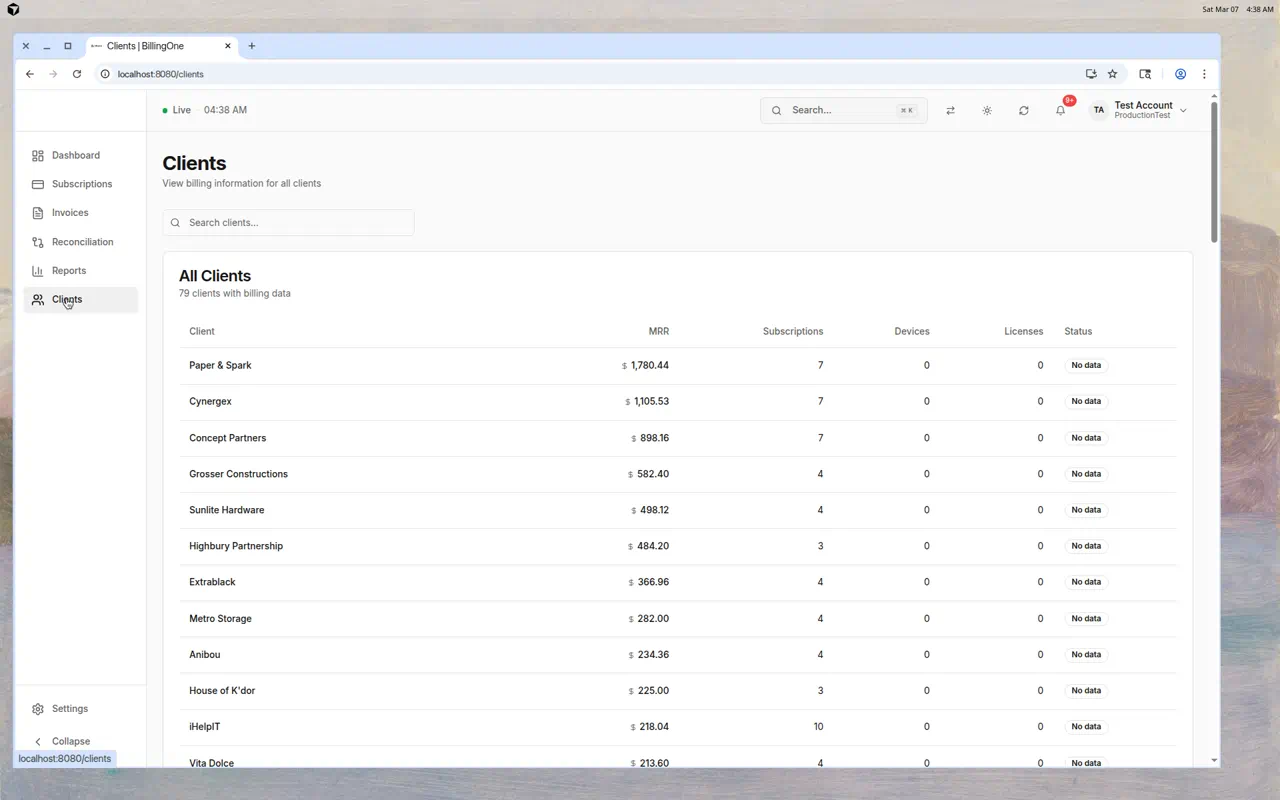
Client Table
Each client row shows:
| Column | Description |
|---|---|
| Client | Client name |
| MRR | Monthly Recurring Revenue from this client's subscriptions |
| Subscriptions | Number of Pax8 subscriptions |
| Devices | Managed device count (from RMM) |
| Licenses | Licensed quantity (from Pax8) |
| Status | Reconciliation status — Matched, Under-licensed, Over-licensed, or No data |
Clients are sorted by MRR (highest first) so your most valuable clients are at the top.
Searching Clients
Use the search bar to filter clients by name.
Understanding the Status Column
| Status | Meaning |
|---|---|
| Matched | Devices and licenses are aligned |
| Under-licensed | More devices than licenses — billing gap |
| Over-licensed | More licenses than devices — client is overpaying |
| No data | No reconciliation snapshot taken yet |
What You Can Learn Here
Top Revenue Clients
The MRR column sorted by value shows you which clients contribute most to your revenue. Protect these relationships.
Revenue Concentration
If a single client represents a large percentage of your MRR, that's a risk. Diversify your client base.
Billing Gaps
Clients with many devices but few subscriptions (or low MRR) may not be fully billed.
Inactive Clients
Clients with $0 MRR and 0 subscriptions may have churned or not been fully onboarded for billing.
Tips
- Review this list monthly — Spot changes in client billing profiles
- Sort by MRR to focus on your most valuable clients first
- Check "No data" clients — Take a reconciliation snapshot to get their status
- Cross-reference with PanelOne — If a client has many devices but low MRR, investigate their subscription coverage