Subscriptions
Navigation: Sidebar → Subscriptions
The Subscriptions page shows all Pax8 subscriptions across your client base. View products, quantities, pricing, statuses, and billing terms in a searchable table.
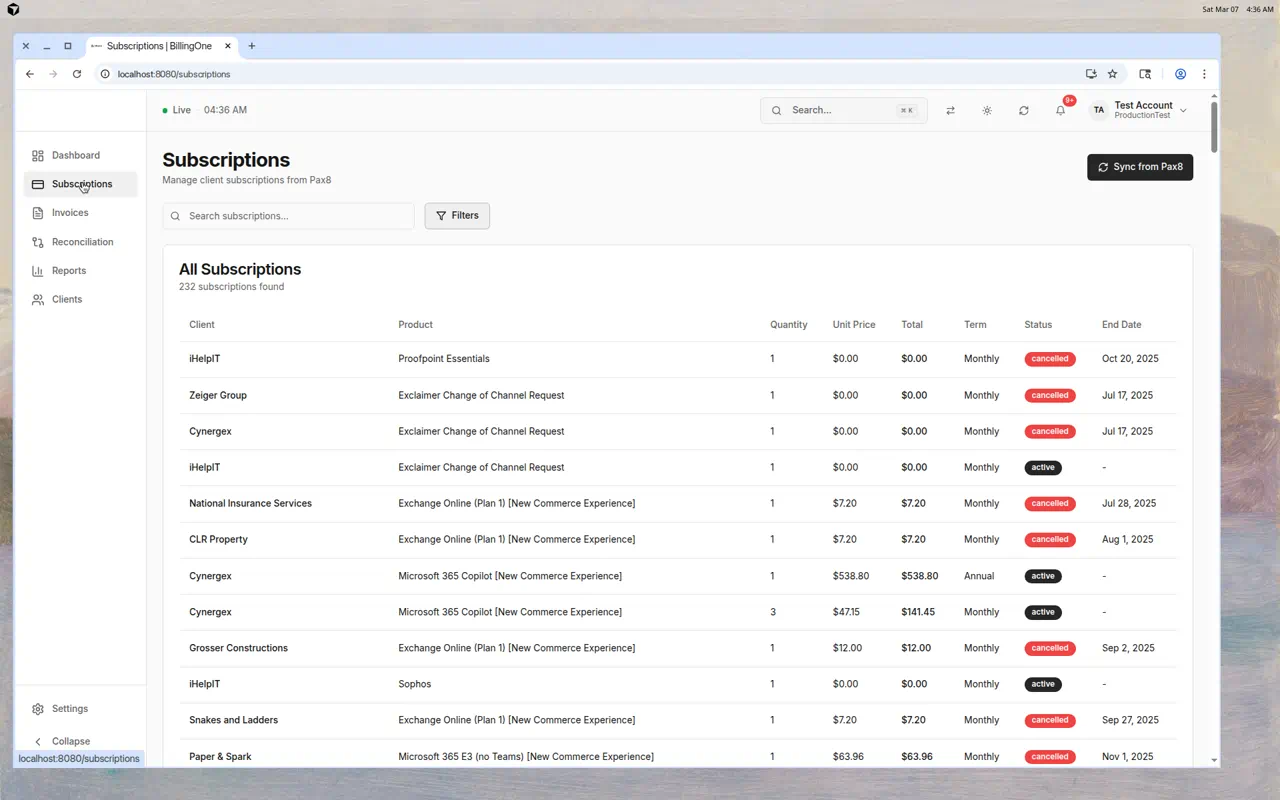
Subscription Table
Each subscription row shows:
| Column | Description |
|---|---|
| Client | Which client owns this subscription |
| Product | The Pax8 product/SKU name (e.g., "Microsoft 365 Business Basic") |
| Quantity | Number of licenses |
| Unit Price | Cost per unit |
| Total | Total monthly/annual cost |
| Term | Billing frequency — Monthly or Annual |
| Status | Active, Cancelled, or Suspended |
| End Date | When the subscription expires (if applicable) |
Status Indicators
| Status | Color | Meaning |
|---|---|---|
| Active | Green | Subscription is currently active and billing |
| Cancelled | Red | Subscription has been cancelled |
| Suspended | Yellow | Subscription is temporarily suspended |
Searching Subscriptions
Use the search bar to filter by:
- Client name
- Product name
- Subscription ID
The count updates to show how many subscriptions match your search.
Filtering
Click Filters to narrow results by:
- Status — Active, cancelled, or suspended
- Client — Specific client
- More options — Additional filter criteria
Sync from Pax8
Click Sync from Pax8 in the top-right to pull the latest subscription data:
- Click the sync button
- Wait for the sync to complete (the button shows a loading spinner)
- The subscription list refreshes with current data
Tip: Run a sync after making changes in the Pax8 portal to ensure BillingOne is up to date.
Understanding Subscription Data
Zero-Dollar Subscriptions
Some subscriptions show $0.00 pricing. These are typically:
- Free-tier products
- Included add-ons
- Channel change requests
End Dates
- Subscriptions with an end date will stop billing after that date
- A dash (—) means the subscription has no set end date (auto-renews)
Tips
- Sync regularly — Run a Pax8 sync weekly to catch any changes
- Watch for cancelled subscriptions — These may indicate clients reducing their services
- Search by product to see all clients using a specific service
- Review zero-dollar items — They may need cleanup in Pax8