3CX Phone System
Navigation: Sidebar → 3CX Phone
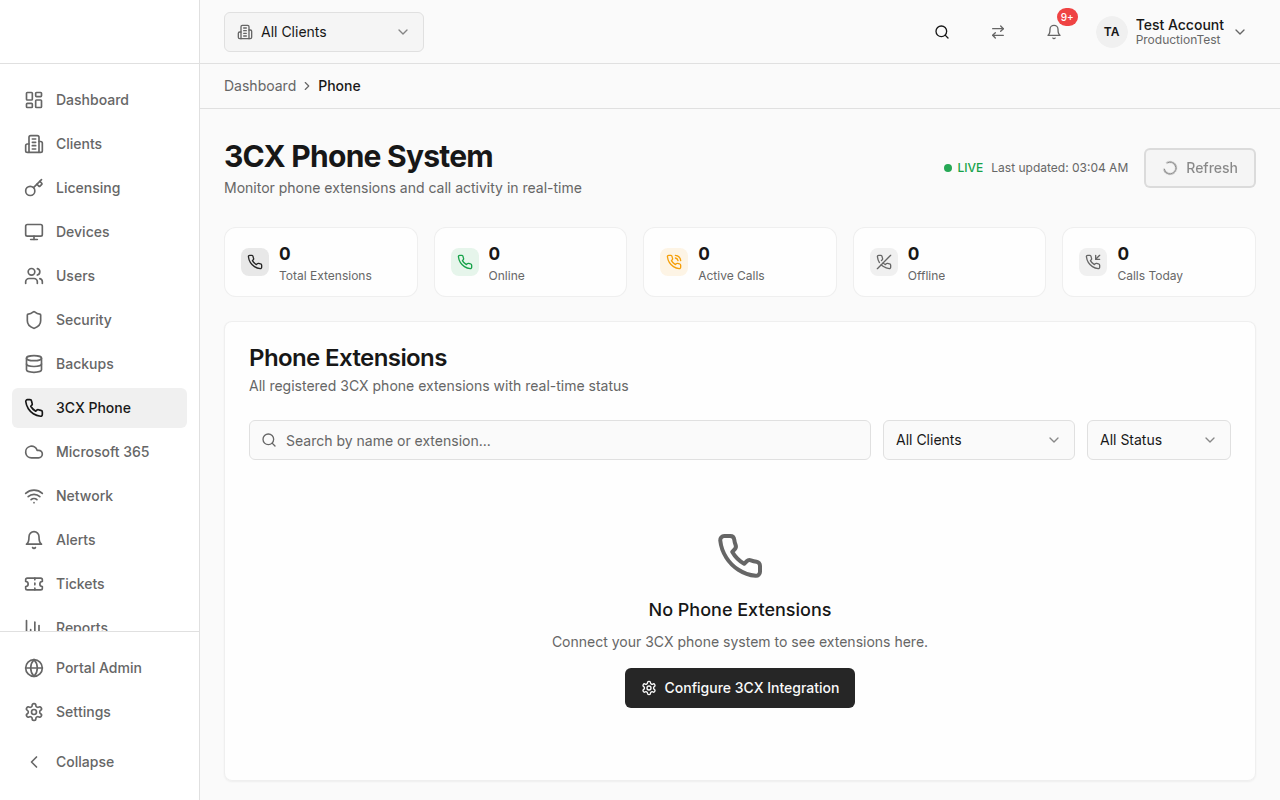
The Phone System page provides real-time monitoring of 3CX phone extensions and call activity across all your managed clients. See who's on a call, who's available, and track call volume — all with live updates.
Overview
This page connects to your clients' 3CX phone systems and shows:
- Stats Cards — Total extensions, online, active calls, offline, calls today
- Active Calls Widget — Real-time view of current calls in progress
- Extensions Table — Every phone extension with live status
How Phone Data Gets Here
Phone data syncs from 3CX via the 3CX integration and real-time webhook updates.
Prerequisites:
- Enable the 3CX integration in Settings → Integrations
- Configure the 3CX API key and base URL
- Map clients to their 3CX system in Clients → Edit → 3CX ID
Real-Time Status
The page features a Live Status Indicator in the header:
- 🟢 Live — Connected and receiving real-time updates
- Shows the last update timestamp
Data updates automatically via webhooks — no manual refresh needed for call status changes. You can still click Refresh to force a full re-sync.
Stats Cards
| Card | Shows |
|---|---|
| Total Extensions | All registered phone extensions |
| Online | Extensions currently registered/online |
| Active Calls | Extensions currently in a call (highlighted border when > 0) |
| Offline | Extensions not registered |
| Calls Today | Total calls made/received today across all extensions |
Active Calls Widget
When calls are in progress, an Active Calls Widget appears showing:
- Extension number and name
- Call direction (inbound/outbound)
- Calling/called party
- Call duration (live timer)
- Status (ringing, in call, on hold)
This is particularly useful for receptionist monitoring or checking if a technician is available.
Extensions Table
The full table shows every extension with columns:
| Column | Description |
|---|---|
| Status | Icon and badge (Online, In Call, Ringing, On Hold, Offline) |
| Extension | Extension number (e.g., 101, 102) |
| Name | Display name of the extension user |
| Call Info | Current call details (party, direction, duration) or — if idle |
| Client | Which client this extension belongs to |
| Calls Today | Number of calls made/received today |
Status Indicators
| Status | Icon | Color |
|---|---|---|
| Online | Phone | Green |
| In Call | Phone with arrow | Green |
| Ringing | Incoming phone (pulsing) | Blue |
| On Hold | Pause | Yellow |
| Offline | Phone off | Gray |
Rows are highlighted when an extension is ringing (blue tint) or in a call (green tint).
Filtering
Search
Filter by extension name or number.
Client Filter
Select a specific client to see only their extensions.
Status Filter
- All — Show all extensions
- Online — Only online/registered extensions
- In Call — Only extensions currently on a call
- Offline — Only offline extensions
On mobile, filters are collapsed into a mobile-friendly filter sheet.
Call Duration Timer
For active calls, a live duration timer shows exactly how long the current call has been going, updating every second.
Tips & Best Practices
- Keep this page open during business hours — It's your real-time phone dashboard
- Monitor active calls for staffing decisions — see if your support lines are all busy
- Track calls today to understand call volume patterns
- Filter by client when troubleshooting a specific client's phone system
Related Guides
- Clients — Map 3CX IDs to clients
- Settings → Integrations — Configure 3CX connection
- Dashboard — Phone system widget on the dashboard